
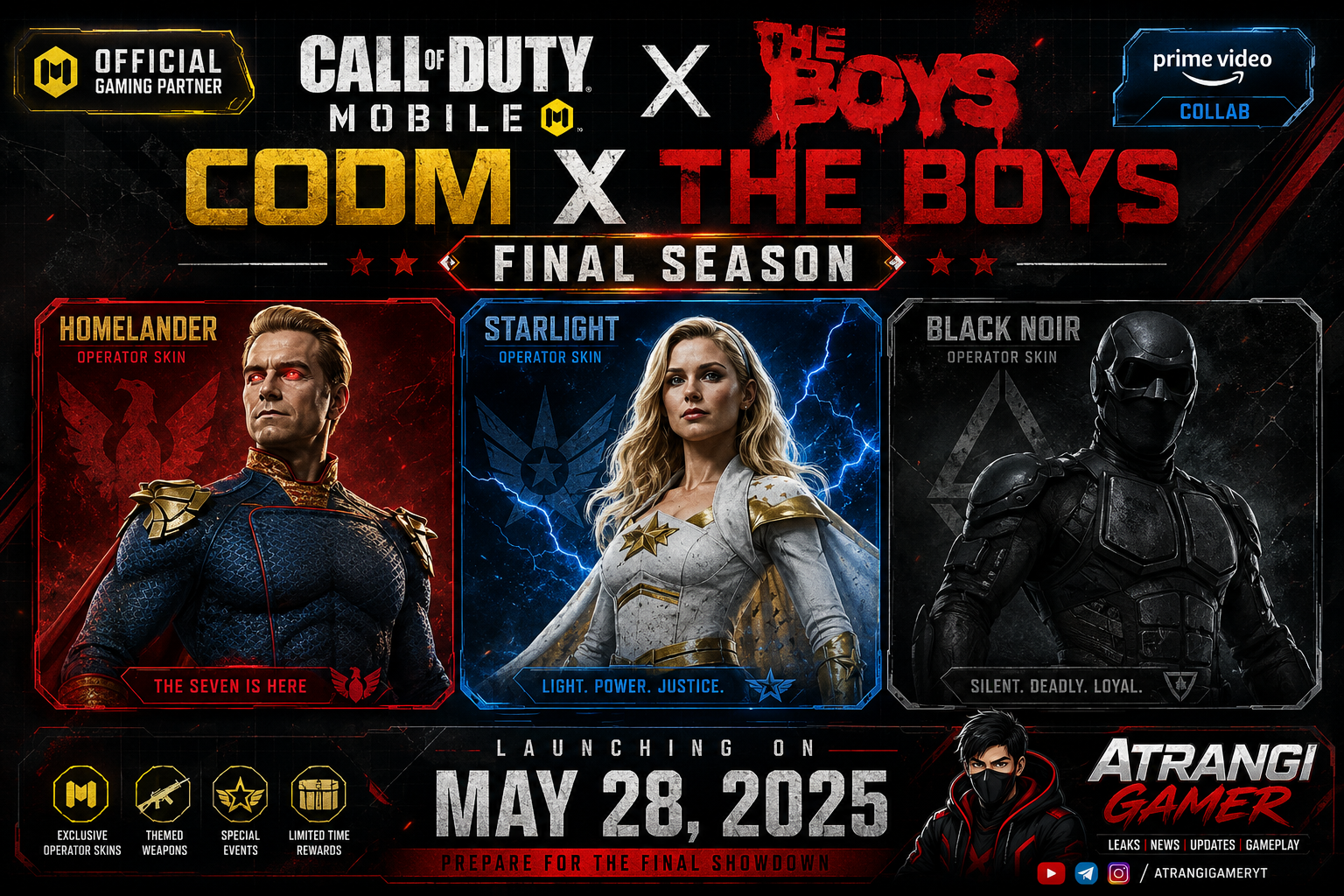
Call of Duty Mobile has done collaborations before. It has crossed over with popular movies, anime, and franchises that have thrilled players worldwide. But what is happening right now is on a completely different level. The CODM x The Boys collaboration is not just another skin drop — it is a full-scale, officially sanctioned gaming partnership tied to one of the most watched shows on Amazon Prime Video. If you are a fan of either the game or the series, this is the collab you have been waiting for.
Here is everything you need to know — the characters, the rewards, the timeline, the lore, and how this stacks up against previous pop culture crossovers in the Call of Duty universe.
What Is the CODM x The Boys Collab All About?
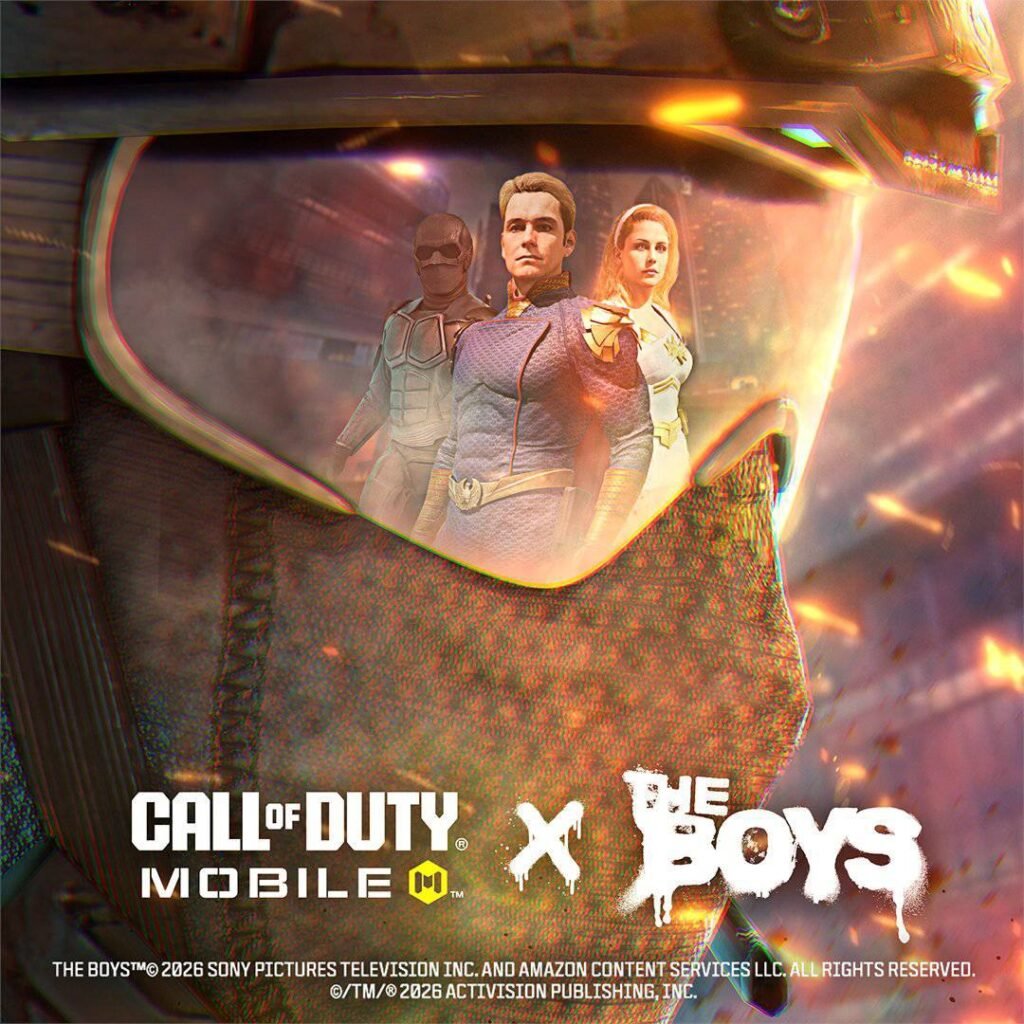
Sony Pictures has officially named Call of Duty Mobile as one of the primary gaming partners for the final season of The Boys on Prime Video. This is not a minor feature or a background partnership — it has been described by Sony Pictures themselves as a “large-scale digital integration.”
That phrase alone should tell you the scale of what is coming. This is not a couple of operator skins quietly dropped into the store. This is a coordinated, multi-layered event that blends the dark, satirical world of The Boys with the high-octane battlefield action of CODM. The partnership has been structured to mirror the kind of massive promotional tie-ins that blockbuster films get — except this time, it is built around the final chapter of one of the most beloved superhero satire shows ever made.
The Boys, for those unfamiliar, is a Prime Video original series that flips the superhero genre on its head. In its world, superheroes — called “Supes” — are corporate assets managed by a powerful company called Vought International. They are celebrated as gods but function as tools of profit, propaganda, and power. The show is violent, darkly funny, and deeply critical of celebrity culture, corporate America, and unchecked authority. Its characters are iconic precisely because they are complicated, dangerous, and utterly recognizable.
Bringing that universe into CODM is a bold creative choice — and based on what has been revealed so far, it looks absolutely incredible.
The Three Characters: Homelander, Starlight, and Black Noir
🔴 Homelander — The Face of the Collab
Homelander is the central character of The Boys and arguably one of the most compelling anti-villain characters in modern television. He is the leader of The Seven, a Superman-like figure with laser vision, super strength, and the ability to fly — but underneath the red, white, and blue costume is a deeply unstable, narcissistic, and dangerous man who has never been held accountable for anything.
In CODM, Homelander arrives as one of the three lottery characters — and he is clearly positioned as the headline skin of the event. The Legendary DR-H weapon blueprint that comes in his draw is a masterpiece of thematic design. The weapon features a golden eagle head on the body, directly inspired by Homelander’s iconic chest emblem and patriotic aesthetic. If you are the type of player who wants a weapon that says “I am unstoppable and I know it,” this is the blueprint for you.
Homelander’s skin is expected to capture his signature look — the cape, the sharp jawline, the unsettling smile that has made him one of the most meme-able characters on the internet. Playing as Homelander in CODM is going to feel like stepping into the shoes of someone who genuinely believes the rules do not apply to them.
⚡ Starlight — The Heart of the Collab
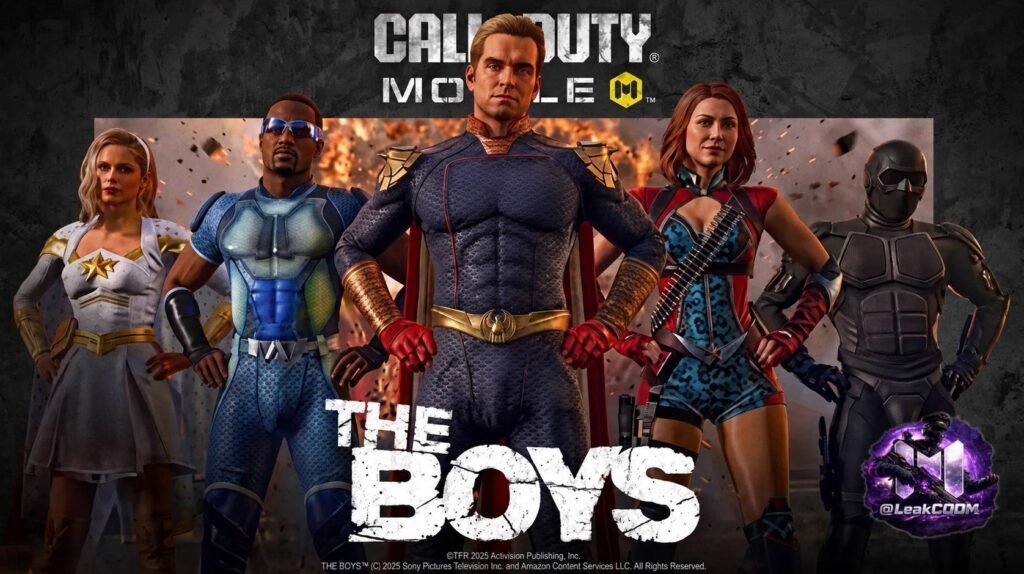
Annie January, known as Starlight, is the moral compass of The Boys. She begins the series as an idealistic, genuinely good superhero who joins The Seven and slowly discovers the horrifying reality behind Vought’s golden facade. Over the course of the show, she becomes one of the most powerful and emotionally resonant characters — someone who chooses to fight for what is right even when the system is designed to crush her.
Her CODM skin is part of the lottery draw, and fans of the show will undoubtedly recognize her iconic look. Starlight’s ability in the show — generating and projecting blinding white light — lends itself beautifully to a character skin with luminous, electric design elements. She is a character who shines in every sense of the word.
For players who want to represent something beyond raw power — who want their operator skin to mean something — Starlight is the pick.
🖤 Black Noir — The Silent Wildcard
Black Noir is one of the most mysterious and fan-favourite characters in The Boys. He rarely speaks. He is lethal, precise, and utterly unpredictable. His true nature has been one of the show’s longest-running mysteries, and his arc across the seasons has delivered some of the most surprising and emotionally complex moments of the entire series.
In CODM, Black Noir rounds out the trio as the third lottery character. His stealthy, dark aesthetic makes him an instinctively perfect fit for a game where ambushes, flanking, and precision eliminate opponents. If Homelander is the skin for the aggressive player and Starlight for the principled one, Black Noir is for the player who moves in silence and lets their K/D ratio do the talking.
Free Manta Ray Skin — Just for Participating
One of the most exciting parts of this collab is something every player can access, not just those willing to spin the lottery. A free Manta Ray skin is available simply for participating in the event. You do not need to spend CP or rely on lottery luck to get something worthwhile from this crossover.
Manta Ray is a sleek, aquatic-inspired vehicle skin that adds a unique visual flair to your BR loadout. Getting it just for showing up and engaging with the event is a generous bonus, and it gives every player a tangible reward tied to this historic partnership.
Animated Player Cards, Exclusive Rewards, and Themed Cosmetics
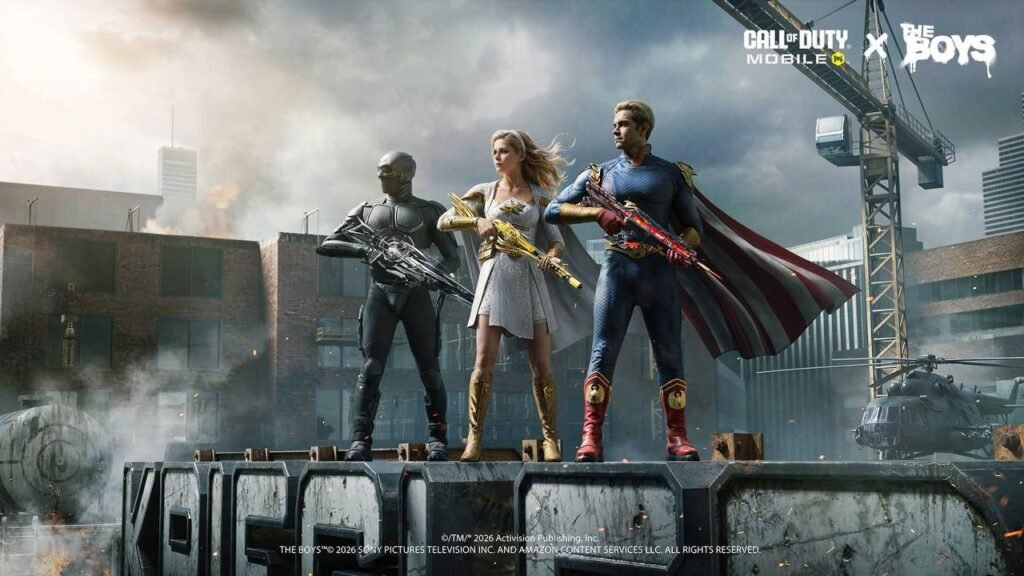
Beyond the big three character skins and the Legendary weapon blueprint, the CODM x The Boys event is packed with animated player cards, exclusive cosmetic rewards, and themed items that let you show off your love for the collab in every match lobby and social screen.
Details on the full cosmetic pool are still emerging, but given the scope of the partnership, expect:
- Animated calling cards featuring iconic scenes or characters from The Boys
- Themed weapon charms, stickers, and sprays
- Event-exclusive avatar frames and borders
- Limited-time profile accessories tied to the series’ visual identity
These kinds of cosmetic layers are what separate a great collab event from a truly memorable one. The Boys has an incredibly strong visual identity — the Vought International branding, the Seven’s logos, the gritty-yet-polished aesthetic of the show — and seeing all of that translated into CODM’s cosmetic system is going to be a treat for fans.
Gulag Returns to Battle Royale Mode
Buried within the collab announcement is a piece of news that BR mode enthusiasts have been eagerly waiting for: Gulag is returning to Battle Royale mode. For those who remember the mechanic — or know it from Warzone — the Gulag gives eliminated players a chance to fight their way back into the match in a 1v1 duel. Win the fight, return to the game. Lose, and you are out.
This is a mechanically significant addition that changes how you approach early drops, fights, and resource management. Knowing that death is not necessarily the end adds a new strategic dimension to every match.
Hint at a New Large BR Map for the Anniversary Season
The collab reveal also came with a cryptic but exciting tease: a hint at the announcement of a brand new large Battle Royale map in the upcoming Anniversary season. No name, no visuals, no confirmed details yet — just a hint. But in the CODM community, that is enough to send speculation into overdrive.
A new large BR map would be one of the biggest additions to the game in a long time. Combined with the Gulag return and the explosive collab content, the Anniversary season looks like it could be the most content-rich update CODM has ever delivered.
How Does This Compare to Warzone x The Boys?
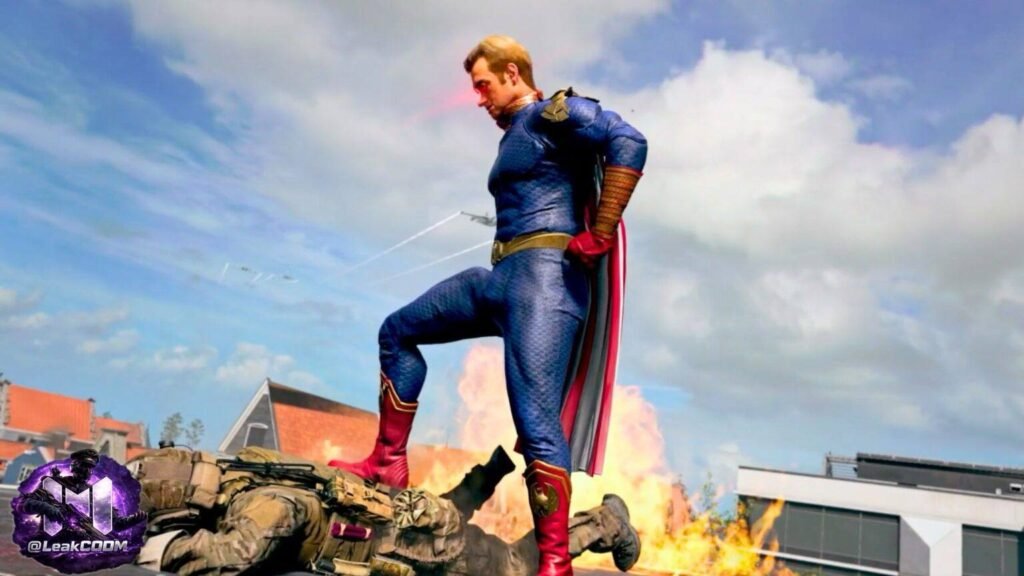
The natural point of comparison here is the Warzone x The Boys crossover that previously took the Call of Duty community by storm. That event featured operator skins for the same iconic characters, but it went a step further with a gameplay mechanic called “Temp V” — a field upgrade that gave players temporary superhero abilities inspired by the show.
With Temp V, players could activate laser vision (inspired by Homelander) or a super jump ability (inspired by other Supes in the show). It was a wild, chaotic, and incredibly fun mechanic that changed the flow of matches and gave the collab a gameplay dimension beyond just cosmetics.
For CODM’s version of the collab, no such gameplay mechanic has been announced yet. The current confirmed content is cosmetics-forward — skins, blueprints, player cards, and themed items. However, the official statement promises “a lot of content,” and with the event described as a “large-scale digital integration,” it would not be surprising if CODM-specific gameplay elements are revealed closer to or after the May 28 launch.
The scale of the partnership — Sony Pictures naming CODM as a main gaming partner rather than just a licensed deal — suggests this is bigger than a straight skin drop. Something more may be coming.
When Does It Start? Key Date to Remember
The CODM x The Boys season launches on May 28 at 03:00 MSK. Make sure you are logged in and ready to dive in from the first moment so you do not miss any time-limited event missions or early bonuses.
Set your alarm, clear your schedule, and charge your device. May 28 is going to be a big day for CODM fans globally.
Homelander, Starlight, or Black Noir — Who Should You Pull First?
This is the question every CODM player is asking right now, and the answer genuinely depends on your playstyle, your budget, and what matters most to you in a skin.
Pull Homelander first if:
- You want the Legendary DR-H blueprint with the iconic eagle design
- You love aggressive, dominant playstyles
- Homelander is your favourite character from the show
- You want the most visually impactful skin from a marketing standpoint
Pull Starlight first if:
- You connect with characters who stand for something
- You prefer bright, luminous, energetic skin aesthetics
- You want to represent one of the show’s most beloved heroes in your lobby
Pull Black Noir first if:
- Stealth, aggression, and mystery define your playstyle
- You prefer darker, more tactical-looking operator skins
- You love the element of surprise — in the game and in your skin choice
If budget is a concern, remember the free Manta Ray skin is yours just for participating. That alone gives you a piece of this historic collab without spending a single CP.
Why This Collab Matters Beyond the Game
It is easy to look at a gaming collab and see only the surface — skins, weapons, events. But the CODM x The Boys partnership is something more significant than that. Sony Pictures chose Call of Duty Mobile — specifically — as a central gaming partner for the final season of one of streaming’s biggest franchises. That is not a small marketing decision.
It reflects how seriously the entertainment industry now takes mobile gaming as a cultural force. CODM has a global audience of hundreds of millions of players. Reaching them through in-game content is as powerful as a billboard, a trailer, or a social media campaign. This collab is promotional art and fan service at the same time — and it works on both levels.
For fans of The Boys, it is a chance to bring their favourite characters into a new medium and a new set of experiences. For CODM players, it is a chance to play as three of the most iconic characters in modern television. For the gaming and entertainment industries, it is a proof of concept that large-scale digital integrations can benefit everyone involved.
Final Thoughts: The Biggest Collab of the CODM Season
The CODM x The Boys collaboration is shaping up to be one of the most ambitious crossover events in Call of Duty Mobile history. Three iconic characters. A Legendary weapon blueprint with stunning thematic design. A free skin for every participating player. Animated cards, exclusive cosmetics, and an event built around the finale of a global phenomenon.
Add to that the return of Gulag to BR mode and the hint of a new large map coming in the Anniversary season, and May 28 looks like one of the most exciting dates in CODM’s calendar this year.
Whether you are here for Homelander’s golden eagle Legendary DR-H, Starlight’s luminous elegance, or Black Noir’s silent menace — there is something in this event for every kind of player.
The season starts May 28 at 03:00 MSK. Be ready.
Stay ahead of every CODM update, leak, and event drop by joining the official Atrangi Gamer Telegram channel — the fastest source for CODM leaks, upcoming content, and exclusive news: https://t.me/atrangigameryt
📲 Follow Atrangi Gamer:
WhatsApp Channel: https://whatsapp.com/channel/0029VaAlL49GU3BCrVxPya1H YouTube: youtube.com/@AtrangiGamer
And don’t forget — someone is getting a free Battle Pass next season. Why not you?
Discussion
No comments yet — be the first to weigh in.